
Why enrichment matters

A name and an email aren't a lead.

Most imported contacts are nearly empty. Enrichment fills in the context that turns a flat list into a working pipeline — so your AI agent can find the people worth reaching.

Before Imported contact
Name Jordan Lee
Company
Title
Location
Seniority
Industry
LinkedIn
Relationship note

After enrichment Enriched
Name Jordan Lee
Company Acme Robotics
Title VP Operations
Location Austin, TX
Seniority VP
Industry Industrial Automation
LinkedIn “Scaling robotics ops & supply chains”
Relationship note

VP-level ops contact at a target-fit company — strong warm-intro candidate.

Richer fields let the Every agent score and segment your contacts automatically — surfacing the best-fit leads hiding in your own network instead of leaving you a flat list of names and emails.

Export & import your LinkedIn data

Get your Connections into Every.

Your Connections export is the fastest way to get your real network into Every — three steps, a few minutes.
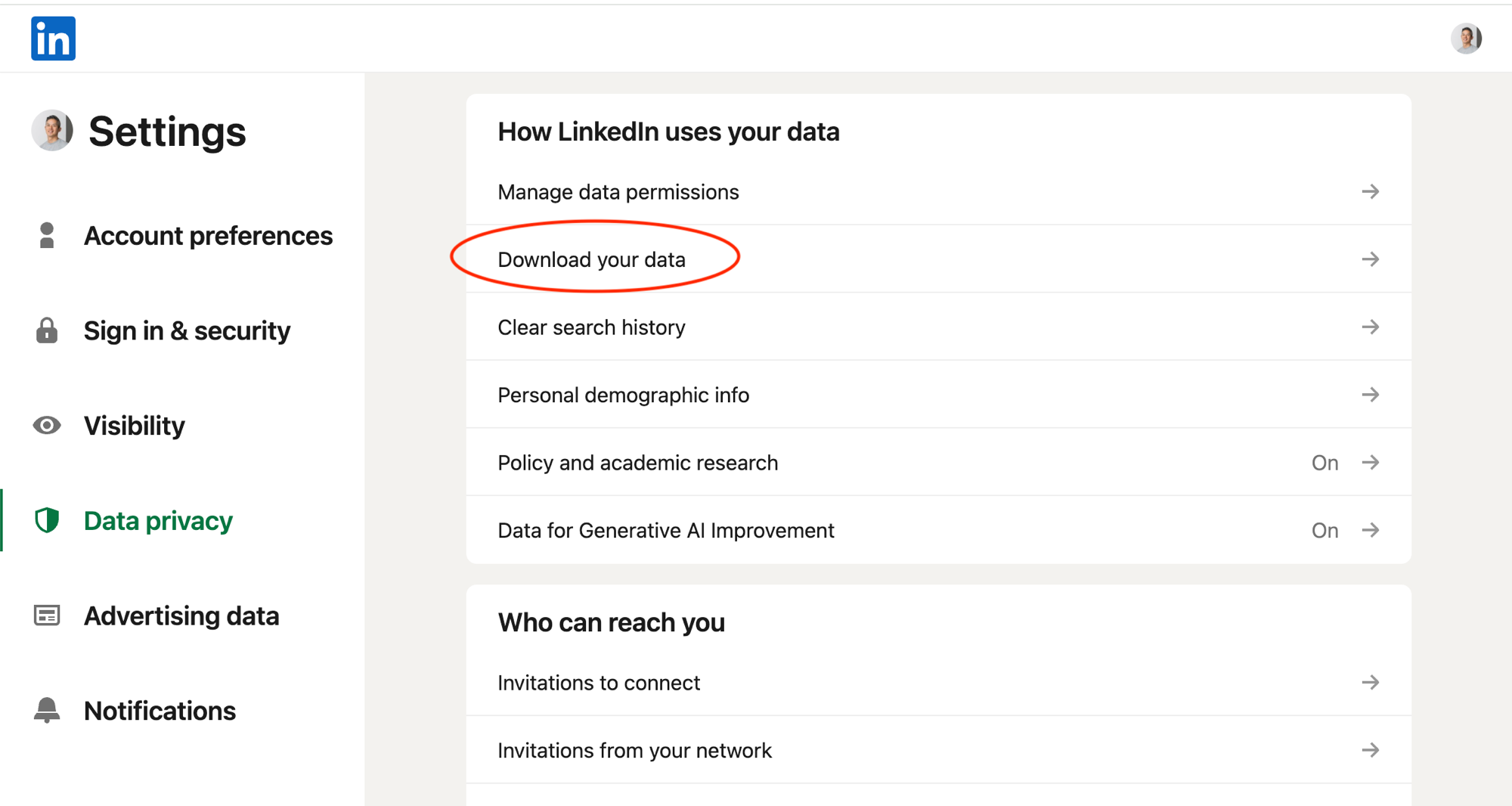
Open LinkedIn export page
LinkedIn Settings → Data privacy → Download your data
On LinkedIn: Settings → Data privacy → Download your data
  1. 1

    Export from LinkedIn

    Open your LinkedIn data export, choose Download your data, select Connections, and request the archive.

  2. 2

    Download Connections.csv

    LinkedIn emails you a download link (usually within minutes). Unzip it and grab Connections.csv.

  3. 3

    Import into Every

    In Every, open Contacts → Import → LinkedIn and upload Connections.csv. That's it.

How to qualify

Three steps, all by June 30.

01

Register on this page

Drop your Every account email in the form above — that puts you on the list.

02

Be on a Core or Pro plan

Upgrade inside Every. Both Core and Pro qualify for the free enrichment.

03

Import your LinkedIn Connections

Export your Connections from LinkedIn and upload the CSV to Every.

FAQ

Questions about the offer.

How much does the enrichment cost?

Nothing. Qualifying organizations get up to 10,000 contacts enriched for free — a $250 value — as part of this promotion. No credit card or extra charge for the enrichment itself.

Who qualifies?

Any organization that, by June 30, 2026, has registered on this page, is on a Core or Pro plan, and has imported their LinkedIn Connections.

Why do I import my LinkedIn Connections?

Your Connections export is the fastest way to get your real network into Every. We enrich it with company, title, seniority, industry, and more — so your AI agent can score and surface the best-fit leads you already know.

When will my contacts be enriched?

Qualifying organizations get their contacts enriched within a week of meeting all the requirements. We process eligible accounts on a rolling basis through the promotion.

Is there a limit on how many contacts get enriched?

Yes — up to 10,000 contacts per qualifying organization, which is the $250 value of this promotion. If you have more than 10,000 contacts we'll prioritize the most relevant ones.

What does "enrichment" actually add?

Company, job title, location, seniority, industry, LinkedIn headline, and a short AI relationship note — the fields the Every agent uses to score, segment, and surface the best-fit leads in your network.

Ready to try Every? AI for your client business.

Onboarding is automated. You're working in minutes.

No credit card required. Monthly credits available on plans. 3K credits