All product updates
· v1.6.0
Agent Settings & Learned Preferences
Every now learns from your workflows and centralizes all agent configuration in one place. The agent watches for patterns in how you work, suggests preferences to save, and lets you reference specific entities with @ tags for more precise control.
Read as MarkdownCentralized Agent Settings Page
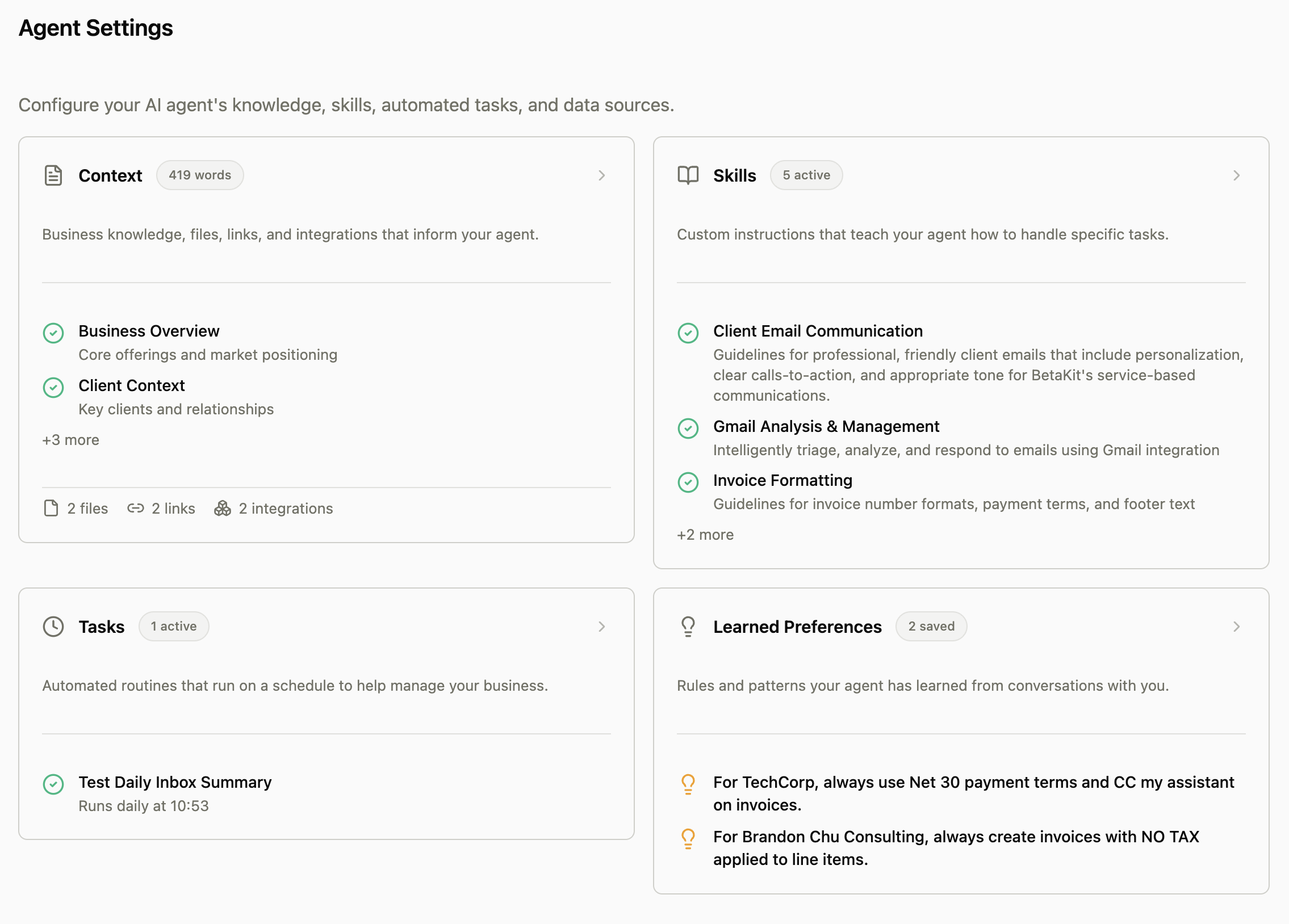
Manage all agent behavior, skills, tasks, and preferences from a single dedicated settings page.
- Access all agent configuration in one place instead of scattered across the app
- View and edit custom skills, active tasks, and learned preferences
- Control which capabilities the agent has access to
Learned Preferences
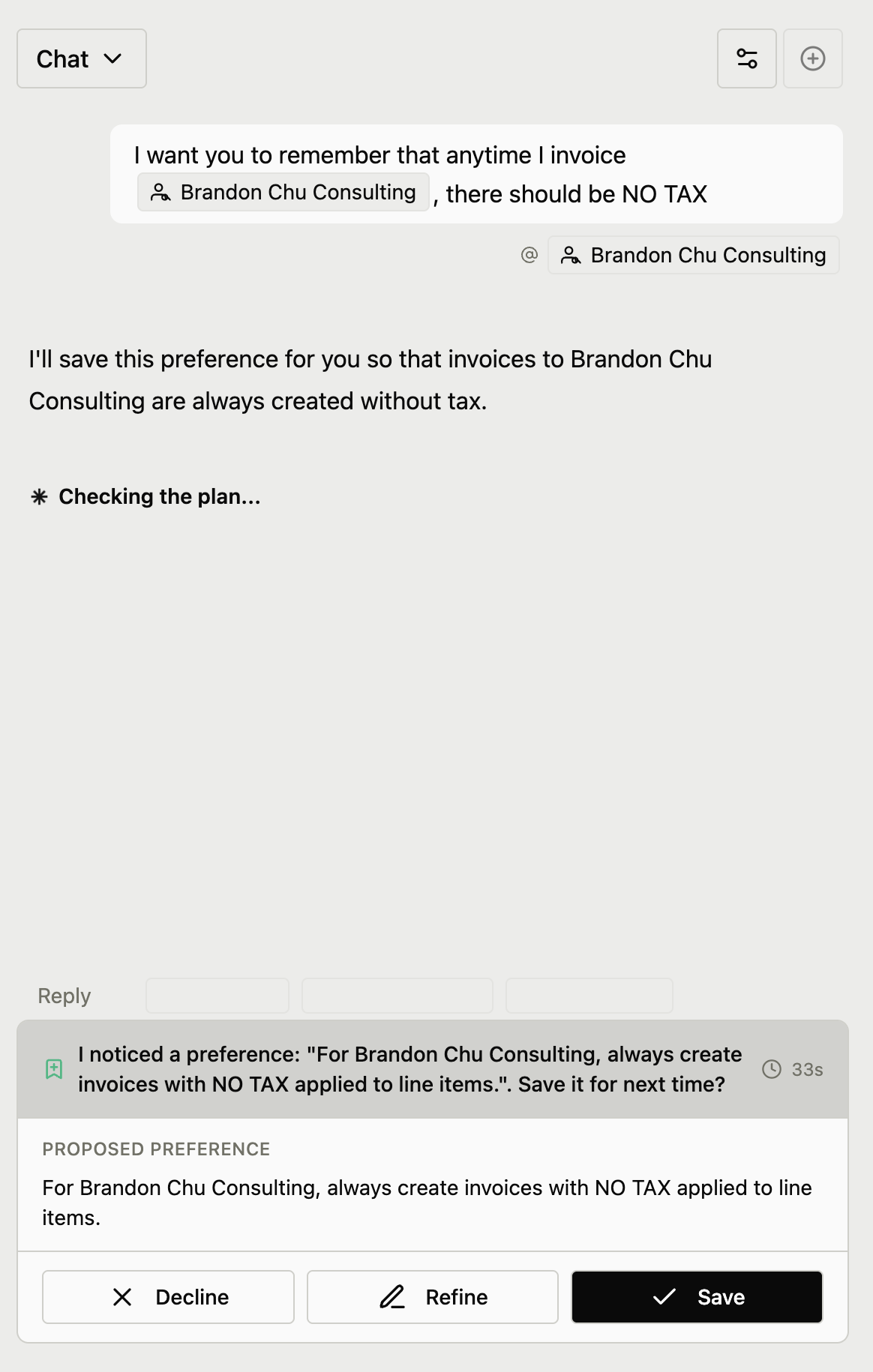
Every watches your workflows and suggests saving patterns as preferences for future tasks.
- Agent detects specific nuances in how you work (like 'no tax on Brandon Chu Consulting invoices')
- Prompts you to save these patterns as learned preferences
- The more you use it, the smarter it becomes at anticipating your needs
- Confirm, refine, or decline suggested preferences before they're saved
@ Tag Entities
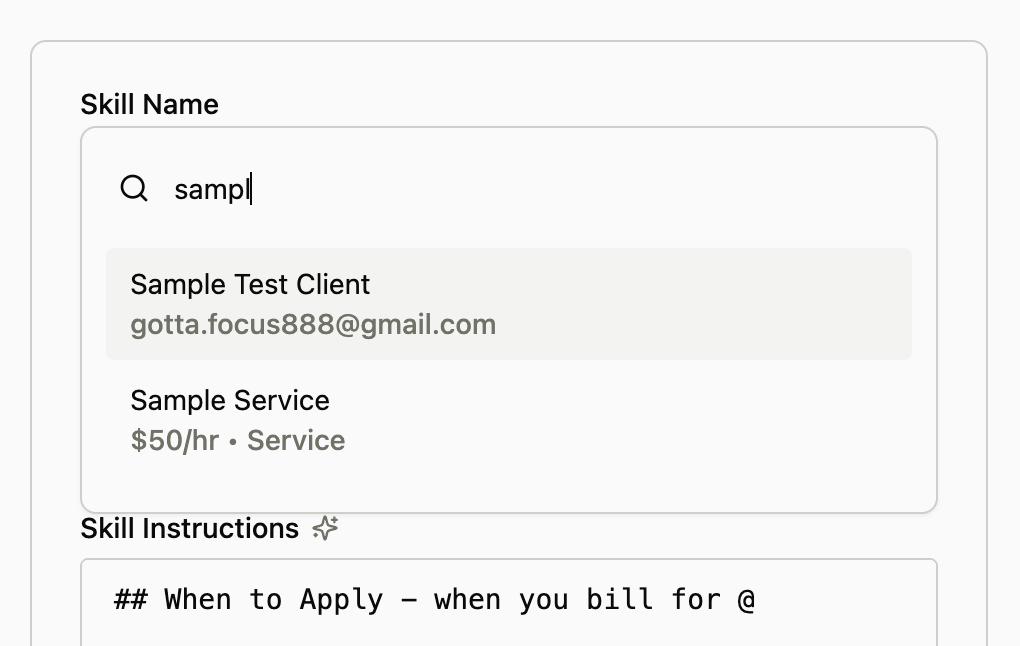
Reference specific clients, projects, or other entities with @ tags for more precise agent instructions.
- Use @ mentions in skills, tasks, and preferences to specify exactly what you're referring to
- Agent acts with more specificity when you tag entities (e.g., @Brandon Chu Consulting)
- Works across all agent interactions for clearer communication
Follow the product update feed for future releases.